The phone rang and they could not answer it
Somewhere between the lock screen, the notification shade and an app that moved itself overnight, the call is gone. They stop trusting the phone — and you stop being able to reach them.

Rafiqa turns your parent’s Android phone into a handful of large, clear buttons — and gives you a panel to set it all up, see how their day is going and step in from wherever you are. Without taking the phone out of their hands.
It is rarely one big emergency. It is a hundred small unknowns, every single week.
Somewhere between the lock screen, the notification shade and an app that moved itself overnight, the call is gone. They stop trusting the phone — and you stop being able to reach them.
You do not want to call four times a day, and they do not want to be checked on. So you guess. The guessing is the part that wears you down.
The alarm that was never set, the contact that got deleted, the app that moved. It either waits for your next visit or turns into a twenty-minute call where you describe a screen you cannot see.
Rafiqa does not fix ageing or distance. It removes the part that was never necessary: the friction.
You and your parent install the same app and each pick a role. From that moment you are looking at two different products: theirs is stripped down, yours is a control panel.
On your parent’s phone
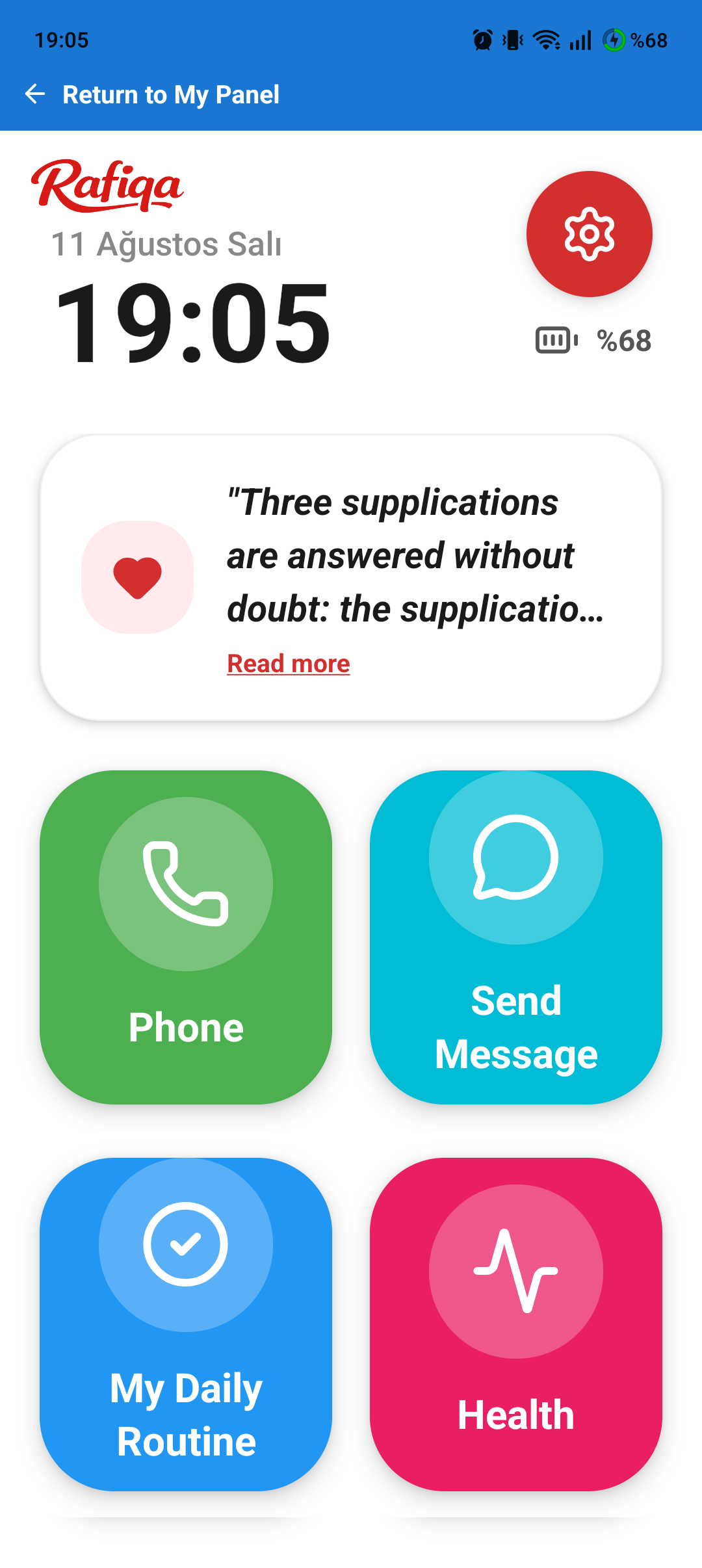
The home screen becomes a grid of large, high-contrast buttons with plain labels. No feed, no ads, no settings maze, and nothing that can be tapped by accident into somewhere confusing.
On your phone
You see how their day is going, and you change their phone without touching it. Every change lands on their device by itself, so there is nothing to explain over a call.
The home screen is a grid of large buttons, and you decide which ones are on it and in what order. Three of them carry most of the weight.
Make calls easily with large buttons and a simple layout. Reach favourites in a single tap.
Create daily, weekly or monthly reminder schedules. If a reminder isn’t marked, the family gets a notification.
Record blood pressure, pulse, weight, temperature and blood sugar like a notebook and see the history together. Values are not interpreted — the app does not diagnose and does not give advice.
Automatic location-based prayer time calculation. Customisable notification and audible alert for each prayer.
Customisable daily alarms. Loud sound and vibration make sure nothing is missed.
Digital dhikr tracking. Set a target and watch your progress. Shared dhikr across the family.
Over a thousand stations from around 80 countries — local, news and Islamic channels — one tap away. Keeps playing in the background.
Quick access from the home screen to frequently used apps like WhatsApp and YouTube. Simplicity for your parent.
Track a shared Quran reading within the family. Follow the parts and see what has been completed.
Send a message in one tap with ready-made templates like “I’m fine” or “I’m calling you”. The message is sent through the phone’s own SMS app — Rafiqa does not read incoming messages.
Instant flashlight using the phone’s camera flash. Turn it on and off easily in the dark.
Use the phone camera as a magnifier. Read small print and labels with ease.
While the phone is being carried, sensors detect falls in the foreground and background; if there is no confirmation, an immediate notification goes to the child.
Location sharing with the time of the last update, plus safe zones. You get a notification when your parent leaves one.
Daily spiritual motivation with a new hadith, shown in your language with its source, presented simply and clearly.
Rafiqa is not a medical device. Reminders and records exist only to make daily life easier. The app does not diagnose, does not recommend treatment, does not give medical advice and does not interpret the values you enter. In an emergency, call your local emergency number (112 in Türkiye).
Three steps — and you do almost all of them. Your parent only has to unlock their phone once.
Install Rafiqa from Google Play on your phone and on your parent’s. It is the same app for both of you; the role is chosen when you sign in. Two minutes.
Sign in as the child and your family code appears. Type that code once on your parent’s phone and the two accounts are linked for good. Under two minutes.
From your panel, pick which buttons appear on their home screen, add their contacts, build the daily routine, and switch on location and fall detection. Half an hour, once — they only ever see the finished result.
Rafiqa handles the location and daily life of an older person who may not follow every setting themselves. That deserves plain language, not a long policy nobody reads.
Before sharing ever starts, a screen on your parent’s phone explains what will be shared and with whom, and asks for their permission. While it is on, it stays visible inside the app — and your parent can turn it off themselves at any time, without asking anyone.
Only the accounts linked by your family code. What enforces that is not a promise on a marketing page but Firestore security rules. Data is stored encrypted (AES-256) on Google Firebase and travels over TLS.
No ad networks inside the app. Your data is not sold or rented. It is not shared with anyone beyond the infrastructure needed to run the service: Google Firebase, Google Play and Expo’s push notification service.
Seven days free to try everything. One subscription covers your parent and every child linked to them.
Monthly
An ideal start for short-term use.
Monthly
For following your mother and your father from one account.
Yearly
12 months of use, 10 months of payment.
$5.00/mo, billed yearly
Yearly
Both parents, with the yearly discount.
$8.33/mo, billed yearly
The trial includes every feature. To start it, your Google Play account needs a payment method — Google requires this for any subscription trial. Cancel before day 7 and nothing is charged. If you do not cancel, the plan you picked begins and renews automatically until you stop it.
Cancel any time from Google Play › Subscriptions. Access continues to the end of the period you have already paid for.
These are the plan names exactly as they appear in Google Play. The difference is how many parent accounts the subscription covers. Rafiqa Family covers one parent. Rafiqa Family Multi covers two — for following your mother and your father from the same account — and additionally unlocks the shared family shopping list. Everything else is identical, and on either plan any number of children can link to the same parent.
All plans include a 7-day free trial. Prices are shown in US dollars; each country has its own price set in the local currency, and Google Play shows the exact amount before you confirm. Payment is charged to your Google Play account and the subscription renews automatically unless cancelled before the period ends. You can cancel at any time from Google Play › Subscriptions. Frequently asked questions
Straight answers — including where Rafiqa stops.
Almost nothing. They install the app, sign in and type the family code once — you can do that part sitting next to them, or walk them through it on a call. Everything after that is set from your panel and arrives on their phone by itself.
Android 8.0 and above. It is the same app for both roles; you choose parent or child when you sign in. There is no iOS version and none is in progress.
Nothing can be sent from a phone that is off. Your panel shows the time of the last location update and the last activity, so you can see the information has gone stale instead of assuming it is current. When the phone comes back on, updates resume on their own.
Location is updated at intervals rather than continuously, and only the last position is kept on the server. In our testing the daily battery cost is a few percent, somewhat higher when background mode and fall detection are both on. The fall detection power mode setting lets you bring that down.
Yes — on their own, at any time, without asking you. Before sharing ever starts, their phone shows a screen explaining what is shared and with whom, and they are the one who grants it. We do not treat this as negotiable: it is their location, not yours.
There is no limit. Each sibling installs the app, picks the child role and enters the same family code. Fall and SOS alerts go to all of them at once, so the responsibility does not sit on one person.
Partly. Alarms, prayer times, routine reminders, the torch and the magnifier all run on the phone itself and need no connection. Anything that has to reach you — location, alerts, the changes you make in the panel — needs a connection and syncs as soon as the phone is back online.
On Google Firebase (Firestore), encrypted, with access limited by security rules to the accounts that share your family code. Servers are in the USA and Europe. Payment data stays with Google Play and never reaches us. The Privacy Policy has the full detail.
You cancel from Google Play › Subscriptions, and access runs to the end of the period you paid for. Refunds are handled by Google under Google Play’s refund policy — we cannot process one on your behalf, though we will help with anything on the app side.
No. Rafiqa is Android only today. The important part is that your parent’s phone must be Android, because that is where the simplified home screen runs. Your own phone runs the same app in the child role, so it needs Android too.
No. Rafiqa is a home screen and a set of modules, not a lock. Your parent can leave it and use the phone normally whenever they want. Blocking apps, reading their messages or watching their screen are deliberately not part of the app.
Installing and linking takes a few minutes. Arranging the home screen, contacts and reminders the way you want takes perhaps half an hour, once. The part that needs care is the permissions on your parent’s phone — battery exemption and background activity — because some manufacturers (Xiaomi, Oppo, Huawei, Samsung) will otherwise stop the app overnight. The app walks you through those step by step.
Longer answers and module-by-module detail live on the Support & FAQ page
Rafiqa is in closed testing on Google Play while we wait for production approval. Join the early access, set it up together with your parent, and tell us what does not work — that feedback is shaping the release.
Requires Android 8.0 or later · Android only